
Introduction
In 2025, ERP software has become the central nervous system of every growing business. From managing inventory and accounting to syncing operations across departments, the best ERP software helps companies move from scattered spreadsheets to unified, data-driven systems. Yet with hundreds of ERP solutions on the market—each promising seamless automation and scalability—choosing the right one has never been more critical.
Whether you’re a small business looking to streamline finances or an enterprise managing complex supply chains, understanding what ERP software is and how it actually fits into your operations can make the difference between clarity and chaos.
At-a-Glance: The Best ERP Software in 2025
When it comes to managing everything from accounting to inventory to HR, the best ERP software combines flexibility, scalability, and affordability. But no single platform fits every business. Below is a quick snapshot of the top ERP systems in 2025 — curated from industry rankings, user reviews, and implementation data — to help you compare your options at a glance.
| ERP System | Best For | Deployment | Pricing (Est.) | Standout Feature | Trial/Demo |
|---|---|---|---|---|---|
| SAP S/4HANA | Large enterprises with global operations | Cloud / On-Prem | Starts at $3,000/user/year | Deep customization and global compliance | Free demo available |
| Oracle NetSuite | Fast-scaling mid-sized businesses | Cloud | $999 base + $99/user/month | Strong financial and multi-entity management | Request a demo |
| Odoo ERP | SMEs needing modular, open-source flexibility | Cloud / On-Prem | $24.90/user/month | App-based customization for every business process | Free trial available |
| Acumatica Cloud ERP | Service and distribution companies | Cloud | Custom quote (avg. $1,800/month) | Unlimited user pricing model | Request demo |
| Ecount ERP | Small businesses and manufacturers | Cloud | $55/month flat rate | Affordable all-in-one ERP for SMEs | Free 14-day trial |
| Qube ERP | Philippine-based SMEs and distributors | Cloud / Hybrid | Custom pricing | Localized accounting and inventory management | Book a demo |
| Microsoft Dynamics 365 | Enterprises using Microsoft ecosystem | Cloud / Hybrid | $70–$210/user/month | Seamless Office 365 and Power BI integration | Free demo available |
| Infor CloudSuite | Manufacturing and supply chain-heavy orgs | Cloud | Custom pricing | Industry-specific modules (manufacturing, logistics) | Request demo |
Each of these ERP software examples offers distinct advantages depending on your size, industry, and digital maturity. The key is to identify where your bottlenecks are—whether it’s reporting, inventory visibility, or inter-department alignment—and choose the system that closes those gaps efficiently.
What Is ERP Software and How Does It Work?
If you’ve ever struggled with juggling multiple tools for accounting, inventory, HR, and operations, you’ve already felt the need for an ERP system — even if you didn’t know it by name.
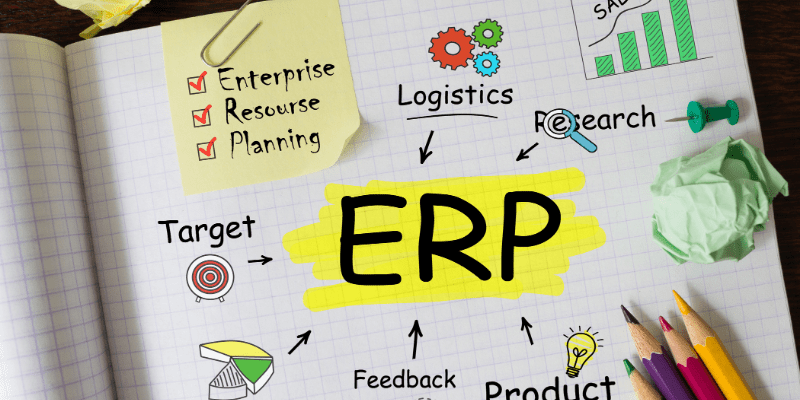
ERP (Enterprise Resource Planning) software is an integrated system that connects all core business functions into one centralized platform. Instead of having finance, sales, and supply chain teams work in isolation, ERP software allows them to share data in real time — ensuring that every department is aligned, accurate, and efficient.
In simple terms, ERP acts as your company’s central nervous system. When a sale is made, it automatically updates inventory, triggers order fulfillment, records revenue, and adjusts financial reports — all without duplicate data entry or human error.
How ERP Works in Practice
Here’s a quick look at how an ERP system functions in daily operations:
- Finance & Accounting: Tracks expenses, invoices, and revenue in one system.
- Inventory Management: Monitors stock levels, purchase orders, and deliveries.
- Human Resources: Handles payroll, time tracking, and employee data.
- Customer Relationship Management (CRM): Keeps client information, sales pipelines, and support data unified.
- Supply Chain Management: Links suppliers, distributors, and logistics in real time.
By connecting these modules, ERP systems eliminate data silos and give business leaders a single source of truth for decision-making.
ERP Benefits: Why It Matters in 2025
In today’s fast-moving, data-saturated business world, an ERP system isn’t just a luxury — it’s a necessity. Whether you’re a small retailer or a global manufacturer, ERP helps unify data, automate workflows, and surface insights that drive smarter decisions. But beyond buzzwords like “integration” or “efficiency,” the real ERP benefits lie in how it transforms day-to-day operations into cohesive, intelligent systems.
Here’s why ERP continues to matter — and evolve — in 2025.
Centralized Data & Reporting
One of the biggest advantages of ERP is data centralization. Instead of scattered spreadsheets and disconnected tools, ERP software stores all operational, financial, and customer data in one unified system.
Why it matters:
- Eliminates duplication and human error across departments
- Enables faster, more accurate decision-making
- Gives leaders a “single source of truth” through unified dashboards
- Simplifies compliance and audit reporting with traceable data trails
With centralized reporting, every department—from finance to logistics—can view performance in real time, ensuring that everyone is working from the same playbook.
Process Automation & Efficiency
Modern ERP systems go beyond data storage — they automate repetitive workflows that once required hours of manual effort. Whether it’s auto-generating invoices, syncing inventory updates, or triggering purchase orders, automation allows teams to focus on strategic tasks instead of admin work.
Why it matters:
- Reduces manual input errors
- Speeds up operations and shortens approval cycles
- Improves cross-department collaboration
- Scales easily as business processes expand
This kind of efficiency doesn’t just save time — it boosts morale, as employees can focus on problem-solving instead of paperwork.
AI-Driven Insights & the Composable ERP Trend
The biggest ERP evolution in 2025 is AI integration. Emerging “composable ERP” systems combine machine learning, automation, and modular design to make analytics smarter and decision-making faster. These systems can predict stock shortages, recommend pricing adjustments, and even generate reports automatically.
Why it matters:
- AI copilots analyze real-time data for proactive recommendations
- Modular (“composable”) architecture lets you upgrade parts of your ERP without replacing the entire system
- Predictive analytics surface problems before they become costly
- Intelligent dashboards turn raw data into actionable stories
ERP Deployment Types: Cloud, On-Premise, or Hybrid?
One of the biggest decisions when choosing an ERP system is how it’s deployed. Your deployment choice affects everything from cost and scalability to data security and maintenance. In 2025, most businesses fall into one of three categories: cloud ERP, on-premise ERP, or hybrid ERP — each with distinct pros and cons depending on your goals, budget, and infrastructure.
Cloud ERP
Cloud ERP (also known as SaaS ERP) is hosted on the vendor’s servers and accessed through a web browser. It’s the go-to option for modern businesses that value flexibility and lower upfront costs. Because everything is stored in the cloud, updates happen automatically, and teams can access real-time data from anywhere — perfect for remote or multi-location companies.
Key Advantages:
- Lower setup and maintenance costs
- Scales easily as your business grows
- Accessible from any device, anytime
- Automatic updates and data backups
Ideal for: Small to medium businesses, startups, and companies with distributed teams.
On-Premise ERP
On-premise ERP is installed locally on your company’s own servers and managed by your internal IT team. While it requires a higher upfront investment, it offers complete control over your system, configurations, and data.
Key Advantages:
- Full control over data and security protocols
- Highly customizable for unique workflows
- Can operate without internet connectivity
Trade-offs:
- Expensive to implement and maintain
- Requires in-house IT expertise
- Slower to update or scale compared to cloud ERP
Ideal for: Enterprises in regulated industries (like finance or manufacturing) that need strict control over data.
Hybrid ERP
Hybrid ERP combines the best of both worlds — using on-premise infrastructure for core operations while connecting to cloud-based ERP modules for analytics, mobility, or reporting. It’s ideal for businesses that are in transition or rely on legacy systems but want the agility of the cloud.
Key Advantages:
- Balanced control and flexibility
- Gradual migration from legacy systems
- Easier integration with third-party tools or SaaS apps
Ideal for: Mid-sized to large enterprises modernizing their ERP architecture.
Which ERP Fits Your Business?
Not all ERP systems are created equal. The best solution for your company depends on your size, industry, and growth stage. A small retailer won’t need the same level of customization as a multinational manufacturer — and that’s where understanding your business profile makes all the difference.
Below, we break down which ERP software works best for different types of businesses so you can choose one that truly fits your needs.
ERP for Small to Medium Businesses (SMBs)
For smaller organizations, the priority is often ease of use, affordability, and fast implementation. SMBs typically look for solutions that simplify daily operations without requiring a large IT team or heavy customization.
Some of the best ERP options for SMBs include:
- Odoo ERP – Flexible and open-source with modular pricing.
- Ecount ERP – Designed for SMEs, especially in Asia, offering accounting, inventory, and HR tools in one platform.
- Qube ERP – A strong choice for local businesses in the Philippines, providing localized tax and reporting features.
Why It Works: These systems are cost-effective, easy to deploy, and scale as your business grows.
ERP for Mid-Market & Enterprises
As companies grow, so do their operational complexities. Mid-sized and enterprise-level organizations require deeper integration, stronger analytics, and robust scalability.
Top enterprise-grade ERP systems include:
- SAP S/4HANA – The gold standard for global enterprises with extensive customization options.
- Oracle NetSuite – Great for multi-entity operations and international accounting compliance.
- Acumatica Cloud ERP – Modern, cloud-first, and offers flexible licensing for large teams.
Why It Works: These ERPs handle complex workflows, integrate with multiple systems, and deliver real-time performance insights across regions and departments.
ERP by Industry
Every industry runs on its own logic — different workflows, compliance needs, and customer expectations. A manufacturing firm must track raw materials and production lines; a construction company manages budgets and subcontractors; and a retail chain juggles fast-moving stock and customer data. A generic ERP system can’t always handle these differences efficiently. That’s why modern vendors now offer industry-specific ERP solutions built to match your operational reality, not force you to adapt to theirs.
Below are examples of how ERP adapts to the five most common sectors:
ERP for Manufacturing
Manufacturing companies need precision and coordination. A single delay in the production line or a miscalculated inventory level can affect the entire supply chain. ERP for manufacturing integrates production planning, material requirements, quality control, and order management into one ecosystem.
Key features:
- Bill of Materials (BOM) tracking and version control
- Real-time shop floor monitoring
- Predictive maintenance and production scheduling
- Automated quality assurance
Why it matters: Manufacturers gain full visibility into costs, wastage, and production efficiency, helping them forecast better and avoid stockouts or overproduction.
Examples: Infor CloudSuite Industrial, SAP S/4HANA Manufacturing, Odoo Manufacturing Module
ERP for Distribution
For distributors, success depends on how efficiently goods move from supplier to shelf. Distribution ERP systems focus on optimizing inventory visibility, warehouse operations, and logistics coordination.
Key features:
- Real-time inventory tracking across multiple warehouses
- Automated replenishment and demand forecasting
- Integration with logistics and third-party carriers
- Margin and delivery performance analytics
Why it matters: ERP allows distributors to reduce holding costs, improve delivery timelines, and make data-backed decisions on purchasing and pricing.
Examples: Acumatica Distribution Edition, Oracle NetSuite, Qube ERP
ERP for Retail
In retail, speed and accuracy define customer satisfaction. A retail ERP system integrates POS, inventory, CRM, and e-commerce so that pricing, promotions, and stock levels stay synchronized across channels.
Key features:
- Unified inventory and pricing across stores and online platforms
- Customer data integration for loyalty and marketing campaigns
- Automated reorder alerts and sales forecasting
- Real-time profitability reporting per SKU or branch
Why it matters: A retail ERP ensures consistent shopping experiences and empowers owners to understand which products, stores, or promotions drive the most profit.
Examples: Odoo Retail, Oracle NetSuite, Ecount ERP
ERP for Construction
Construction companies face a unique challenge: long project lifecycles, multiple subcontractors, and constant cost fluctuations. A construction ERP centralizes budgeting, billing, procurement, and field reporting — bringing financial control to every job site.
Key features:
- Real-time project costing and budget tracking
- Integration with accounting and payroll for subcontractors
- Materials and asset management per project
- Forecasting and variance reports for executives
Why it matters: It helps prevent cost overruns, improves accountability, and keeps all stakeholders aligned from the field to the back office.
Examples: Acumatica Construction Edition, SAP S/4HANA Construction, Qube ERP (localized for Philippine contractors)
ERP for Professional Services
For service-based businesses — from consultancies to agencies — people and time are the primary assets. Professional services ERP systems streamline project delivery, automate billing, and track profitability per client or engagement.
Key features:
- Resource planning and utilization tracking
- Time and expense management
- Project milestone billing and revenue recognition
- Profitability dashboards by client, team, or project type
Why it matters: These systems help service firms forecast capacity, reduce administrative overhead, and improve client transparency.
Examples: NetSuite PSA, Odoo Services, Oracle ERP Cloud
ERP Software Pricing & Total Cost of Ownership (TCO)
Understanding ERP pricing isn’t as simple as comparing monthly subscriptions. The true Total Cost of Ownership (TCO) includes not just the software itself, but also implementation, customization, training, and ongoing support. In other words, the sticker price rarely tells the full story — especially for growing businesses that may scale users or add modules over time.
Whether you’re comparing international vendors like SAP and Oracle or local options like Qube ERP or Ecount, transparency about the full lifecycle cost can save your business from unexpected overruns down the road.
ERP Pricing Models Explained
ERP vendors typically follow one or a mix of these pricing models:
- License-Based (On-Premise ERP) You purchase a perpetual license upfront and pay separately for updates and support. Costs can reach tens of thousands of dollars but offer long-term ownership.
- Subscription-Based (Cloud ERP / SaaS ERP) You pay a recurring monthly or annual fee based on users, features, or transaction volume. This is common for cloud-based platforms like Odoo, NetSuite, and Acumatica.
- User-Based Pricing Charges depend on the number of users or access levels. Some vendors (like Acumatica) now offer usage-based pricing instead, which is better for large teams.
- Implementation & Customization Costs This is often the biggest hidden expense — involving setup, migration, integration, and staff training. Depending on complexity, it can range from 1x to 5x the annual software fee.
- Maintenance & Support Annual service contracts, updates, and post-deployment fixes can add 15–25% to your yearly cost.
Sample ERP Price Comparison Table
Here’s a rough estimate of ERP software pricing across business sizes and deployment types. (Actual figures vary based on scope, users, and customization.)
| Business Type | Deployment Type | Initial Cost (₱) | Annual Subscription (₱) | Implementation Cost (₱) | Estimated Year-1 TCO (₱) |
|---|---|---|---|---|---|
| Small Business (5–10 users) | Cloud (Odoo, Ecount, Qube) | ₱0–₱30,000 | ₱60,000–₱180,000 | ₱100,000–₱200,000 | ₱160,000–₱350,000 |
| Mid-Market (20–50 users) | Cloud / Hybrid (Acumatica, NetSuite) | ₱100,000–₱500,000 | ₱300,000–₱900,000 | ₱400,000–₱800,000 | ₱800,000–₱2M |
| Enterprise (100+ users) | On-Premise (SAP, Oracle) | ₱1M–₱3M | ₱1M–₱3M | ₱2M–₱5M | ₱4M–₱8M |
💡 Pro Tip: Local vendors in the Philippines (like Qube ERP or Ecount) offer simpler pricing and faster deployment, but global platforms may deliver stronger analytics and scalability.
ERP Implementation Guide (Step-by-Step)
Choosing your ERP system is only half the journey — implementing it successfully is what truly determines ROI. A rushed or poorly managed rollout can lead to frustrated teams, inaccurate data, and missed deadlines. This ERP implementation guide breaks down each phase so you can launch confidently and avoid the most common pitfalls.
Whether you’re adopting ERP for the first time or upgrading from legacy software, following a structured ERP rollout plan ensures every department stays aligned from day one.
Planning & Requirements Gathering
Before touching a line of code or configuring modules, you need a clear understanding of what your ERP should accomplish. This phase sets the foundation for everything that follows.
Key Steps:
- Define project scope and goals: Identify pain points — such as manual reporting, poor data visibility, or duplicated work.
- Select a cross-functional implementation team: Include finance, operations, HR, and IT leads to ensure system-wide alignment.
- Map current workflows: Document how data currently flows across tools like POS, CRM, spreadsheets, or accounting systems.
- List must-have integrations: CRMs (like Salesforce), accounting tools (like QuickBooks), HR systems, or e-commerce platforms.
- Clean existing data: Remove duplicates, standardize formats, and ensure data integrity before migration.
Data Migration & Integration
Once the groundwork is set, it’s time to connect your ERP system to the tools and data sources your business already relies on.
Key Steps:
- Migrate clean data: Import product lists, financial ledgers, supplier databases, and customer records into the new ERP.
- Set up integrations: Connect to your POS, CRM, spreadsheets, HR, and inventory systems to ensure real-time synchronization.
- Test the data flow: Run small batches to confirm that transactions, invoices, and reports appear correctly.
- Establish data ownership rules: Determine who manages updates, corrections, and approvals post-launch.
Pro Tip: Automate recurring imports and backups early to prevent human error once the system goes live.
Training & Change Management
The success of an ERP rollout depends less on the technology and more on how well your people adapt to it. Teams that aren’t trained properly often revert to old tools, defeating the purpose of the system.
Key Steps:
- Develop user-specific training: Tailor sessions for accountants, warehouse staff, and managers.
- Create process documentation: Standardize how data is entered and approved to maintain consistency.
- Build a feedback loop: Let users flag issues or suggest workflow improvements during the transition.
- Celebrate milestones: Recognize early adopters and quick wins to encourage buy-in across departments.
Outcome: Confident users who understand how the ERP supports—not complicates—their daily work.
Go-Live & Continuous Improvement
Your ERP system is ready to go live — but the job doesn’t end there. The most successful companies treat implementation as a continuous process of optimization.
Go-Live Checklist:
- [ ] Run a final data integrity test
- [ ] Validate key reports (financial, inventory, HR)
- [ ] Communicate the launch company-wide
- [ ] Ensure all integrations are functioning
- [ ] Assign monitoring responsibilities
Post-Go-Live Optimization:
- Review usage analytics weekly to catch inefficiencies
- Schedule quarterly check-ins with your ERP provider
- Update workflows as your business evolves
Common ERP Challenges (and How to Avoid Them)
While ERP systems promise efficiency and clarity, many implementations stumble before they deliver full value. In fact, studies show that up to 50–70% of ERP projects experience delays or budget overruns — not because the software itself fails, but because of how it’s planned, executed, and adopted.
Understanding the most common ERP challenges can help your business avoid the same pitfalls and ensure your investment pays off long-term.
1. Misalignment Between Business Goals and System Design
One of the biggest ERP implementation problems is misalignment. Businesses often try to fit their existing processes into the ERP’s default structure instead of customizing the system to their workflows. This leads to frustration, workarounds, and underutilized features.
How to avoid it:
- Start with a clear documentation of current workflows and pain points.
- Involve end-users in system design and testing phases.
- Configure the ERP around your business strategy, not the other way around.
When properly aligned, an ERP should reinforce how your company operates — not add more complexity to it.
2. Poor Data Migration and Integration
Migrating messy or incomplete data into a new ERP system is one of the fastest ways to create confusion. If old spreadsheets, POS systems, or CRMs contain duplicates or missing entries, those issues will multiply once centralized.
How to avoid it:
- Clean and validate all data before migration.
- Map data fields between legacy systems and ERP modules carefully.
- Run multiple test imports to catch mismatches early.
- Use integration tools or middleware to connect ERP with existing software (e.g., accounting, CRM, or HR platforms).
Accurate, well-structured data ensures your ERP produces reliable insights — not misleading reports.
3. Low User Adoption and Resistance to Change
Even the best ERP can fail if employees don’t use it properly. Many teams revert to old habits (like spreadsheets or manual reports) when the new system feels too complicated or unfamiliar. This “human factor” is a leading reason why ERP fails in practice.
How to avoid it:
- Involve users early in the decision and testing process.
- Offer role-specific training and accessible support materials.
- Appoint internal “ERP champions” who can mentor peers.
- Communicate the long-term benefits clearly — focus on how it simplifies their work, not just management reporting.
ERP success depends on cultural adoption as much as technical setup.
4. Underestimating Implementation Time and Cost
Many businesses underestimate the resources required for a successful rollout. Beyond software fees, hidden costs often include training, consulting, customization, and process redesign.
How to avoid it:
- Build realistic timelines with milestones for each phase.
- Allocate a contingency budget (10–20%) for unexpected adjustments.
- Prioritize features in phases rather than launching everything at once.
A slower, phased rollout is usually smoother — and far less costly — than rushing an all-at-once deployment.
5. Lack of Ongoing Optimization
ERP systems are not “set it and forget it.” As your business grows, workflows evolve and new integrations become necessary. Without regular audits and updates, performance and accuracy will decline over time.
How to avoid it:
- Schedule quarterly or biannual ERP health checks.
- Review user feedback and automate repetitive tasks where possible.
- Update permissions, modules, and dashboards as business needs change.
Continuous improvement keeps your ERP relevant — and your data reliable.
FAQs About ERP Software
To help you better understand how ERP systems work and what to expect before implementation, here are some of the most common questions businesses ask. These can also be marked up using FAQ schema to improve search visibility and increase click-through rates.
What does ERP stand for?
ERP stands for Enterprise Resource Planning. It refers to software that integrates a company’s key business processes—such as accounting, inventory, human resources, and supply chain—into one unified system.
What are examples of ERP systems?
Popular ERP system examples include SAP S/4HANA, Oracle NetSuite, Odoo ERP, Acumatica Cloud ERP, Microsoft Dynamics 365, and Ecount ERP. Each is designed for different business sizes and industries, from small enterprises to global corporations.
How does ERP work?
ERP software consolidates data from various departments into a single database. This allows real-time information sharing across finance, operations, and sales—automating tasks like order processing, payroll, and reporting to reduce manual effort and improve accuracy.
What is the difference between ERP and accounting software?
While accounting software focuses mainly on financial transactions and reporting, ERP systems manage the entire business operation—including supply chain, human resources, project management, and manufacturing. In short, ERP is a broader system that includes accounting as one of its components.
Is cloud ERP secure?
Yes, reputable cloud ERP solutions are highly secure. They use data encryption, multi-factor authentication, and regular security audits to protect sensitive business information. In many cases, cloud providers offer more robust security than on-premise systems due to continuous monitoring and compliance with global standards.
Conclusion: Turning ERP Data Into Real Clarity
At its core, ERP isn’t just software — it’s a visibility system. It unites every moving part of your business — from finances and operations to people and performance — into a single, connected framework. When implemented effectively, ERP gives leaders the confidence to act on data, not guesswork.
But while most companies successfully install ERP systems, few actually see the full picture their data tells. Dashboards remain cluttered, reports stay buried in spreadsheets, and key insights get lost in translation between departments. That’s where the true value of ERP is either realized or wasted.
If your ERP data feels scattered or hard to read, Storyseller Systems builds custom clarity dashboards that turn ERP complexity into confidence — without any extra data entry.
With the right clarity bridge, your ERP stops being a back-office system and becomes a command center — one screen where your entire business finally makes sense.